
Printing on DVDs, CDs, and oh let’s be honest, you don’t use Blu-Ray
I’ve used Epson Artisan printers for the past six years to print attractive images on the DVDs I burn. I have terrible handwriting, and I think if you have the option you should make a good presentation. I got an Epson Stylus Photo R200 in 2004, and I upgraded to an R280 a couple years ago. I’ve purchased a few hundred Ritek RiData White Inkjet Hub Printable DVD-Rs and had great results both burning and printing on them. I always talk them up whenever I’m working at an office and I usually convince them to buy one, because nothing looks worse than Sharpie scrawl on a disc. It has always been dangerous to put a sticky label on a DVD. It can destabilize the disc, causing playback problems, and there is potential for the label to spin off and damage the player. I use clear slimline DVD cases so I don’t have to print a case insert. Most of my DVDs are temporary anyway, so I don’t worry about how they’ll work without a spine label on a shelf full of DVDs. Standard Blu-Ray cases are translucent and work great without a case insert. I think it’s important to put Blu-Ray discs in blue cases in order to avoid confusion. But of course I’ve had very little need to burn Blu-Ray discs, even though I bought a Blu-Ray burner hoping to get my clients really high-quality versions of their films. I’ve probably burned 5 discs in the past year. It definitely came in handy for screenings where you don’t want to pay a couple hundred bucks to make an HDCAM tape. The trouble is they can’t really be used for general use because you can’t count on the recipient having a Blu-Ray player.
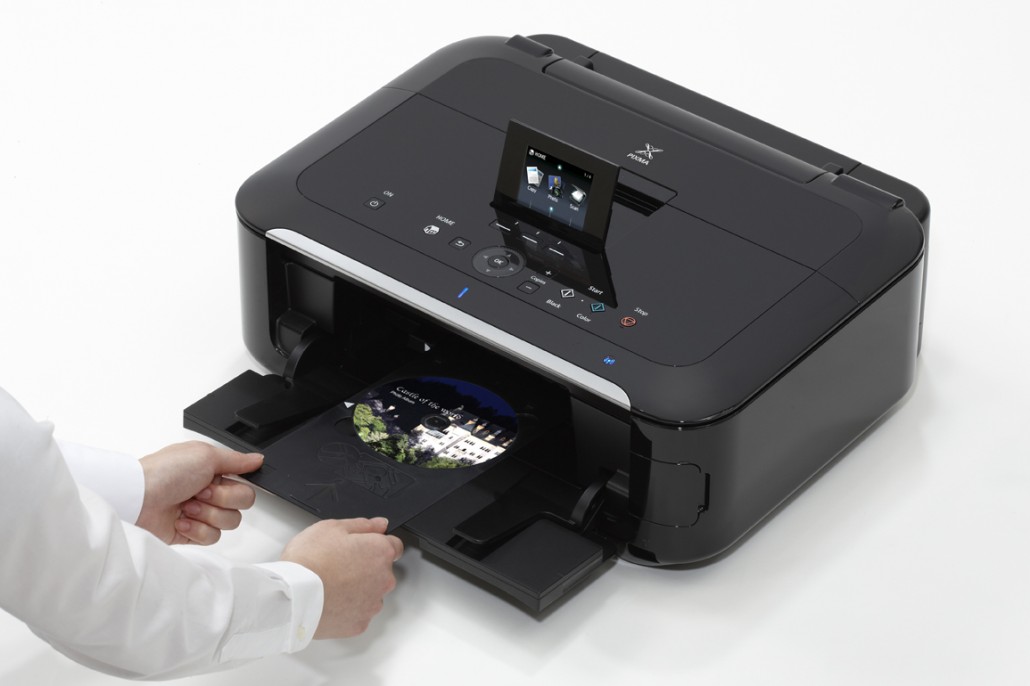
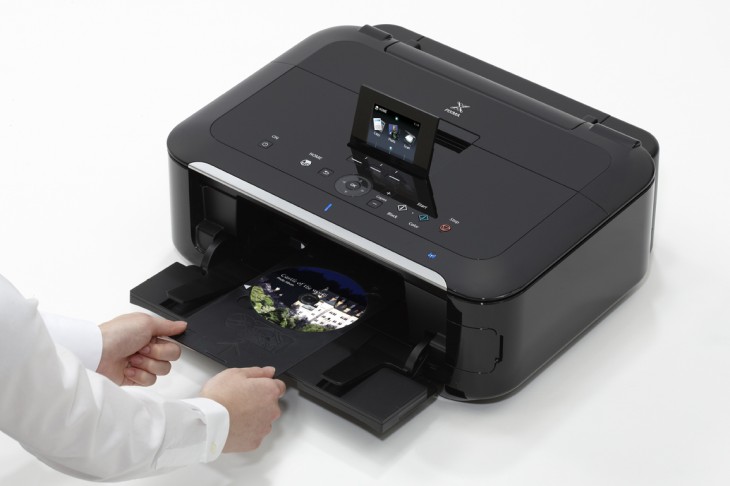
Today I decided to purchase a multifunction printer so I could get a scanner, and maybe a fax too, for the five times a decade I need to fax something. I was pretty sure the only printers that do what I needed were the Epson Artisans, but the Staples salesman pointed me towards the Canon PIXMA MG5320, which scans and prints on discs for only $99! I thought I’d give it a shot. These things are basically disposable considering the ink refill costs, so it’s not a big deal if it turns out to be substandard. And faxing isn’t that important.
So far I’m very happy. The print quality is great, the scanner scans, and the disc printing tray seems to feed more confidently than the Epsons. The whole disc printing process was always a little dicey on the Epsons.
I don’t like to use the software that comes with the printer to print on discs because I like to be able to print straight from my design program of choice. Usually that’s Illustrator. For the Epsons I’ve always used Brian Nash’s excellent templates. I couldn’t find a similar one for the Canon PIXMA MG5320. I found an old one for some other Canon printer, but it wasn’t aligned for the current model. I revised it to line up with my printer, and I thought I’d upload it for anyone else who needs a template to print on discs with the MG5320.


Kyle—you’re my only hope 😉
Trying to figure out how to print to a blank CD from my MG6220 (similar to your MG 5320) via Illustrator. Keeps wanting to grab paper from the back tray, even though I’ve specified disc tray G in Page Setup and in Media. Thoughts???? Going nuts. Whole reason I bought printer…
I’m working on a Mac, and sometimes the drivers are set up differently, but in Illustrator I hit “File/Print…” then in the lower left I hit the “Printer…” button. From there under “Quality & Media” I choose the media “Other Papers/Printable disc (recommended)” which automatically disables all the other Paper Sources and selects “Disc Tray”
OMG I’m off the ledge thanks to you Kyle. I’m on a Mac too, but had the “show details” off in the “printer” window. Doh.
Many many thanks. Beautiful work!
Adam
Brilliant. Perfect. I couldn’t have asked for a better template!
Hi kyle, I’ve downloaded the AI template and I tried many ways but it still doesn’t align correctly. Can you provide some instructions or tips to make it print correctly?
Yeah This printer is so frustrating. I bought it to print on CDs and it takes absolutely forever.
The Easy-PhotoPrint EX does not have a -blank- cd template where I can just simply put my background image. it HAS to have some lame text box..
Can someone please export to Illustrator CS ?
“It should be re-saved from Adobe Illustrator with the “Create PDF Compatible File” option turned on.”
thanks
Using PC, Illustrator CS5, I previously figured out how to get this aligned, but trying again I seem to have forgotten how I did it. Go File/Print etc. However I seem now to have figured out a setting so anyone else interested here’s what I did:
File/Print >
select in Media/Disc Tray G
under Options/Placement make it Zero and Zero px on the XY axis thing
Check Donot Scale
You should then see in the preview window the disc graphics centered on long window, in lower 3rd.
Then hit print and follow instructions
Worked for me.
I talked to a rep at Canon. What you have to do is use your file as the background, then in Edit right click on all the text boxes and hit clear and you are left with your design
How to print a blank cd with just text?
Download Easy-PhotoPrint EX Ver. 4.1.6 (Windows 8/8 x64/7/7 x64/Vista/Vista64/XP) -(Much simpler than the ‘orrible program that’s on the printer cd).
Select Disc Label
At the bottom of the screen – hit “Layout” – Select the ALL GREY – with 3 black lines (named 007 on my version)
Select Image – it fills the disc
Move onto EDIT – Select and Cut the three lines ready for text (or add text!)
Print
Simples !
Or – if you do a lot
Save a blank jpg from Paint or similar
When it comes to Select image – select the blank – delete the edit boxes – save as “Blank CD” or similar – Put on Desktop or make a shortcut there.
Next time you want to do a disc- just double click on the file/shortcut and Easy Print will start with a blank CD – just right click and “Replace Image”
Even more Simples . . .
TY so very much.. I was tearing my hair out trying to print a disc with Canon Image Garden. Got Canon Photo Print EX and followed your directions. Worked great. Have a very nice direct to disc print sitting here in front of me right now. TY so very much again1